
The menu bar app
The BenchBar app lives in the menu bar. It shows every bench as a small runner, and a window with a page per bench for its sites, apps and health. It installs with the one line installer or from the DMG.
The runner
The runner in the menu bar sleeps when the bench is stopped, walks while it starts, runs while it is up (faster when the bench is busy), stumbles when it crashes, and shows a question mark when the CLI is missing. Reduce Motion shows still poses. With more than one bench it shows the worst state of all of them.
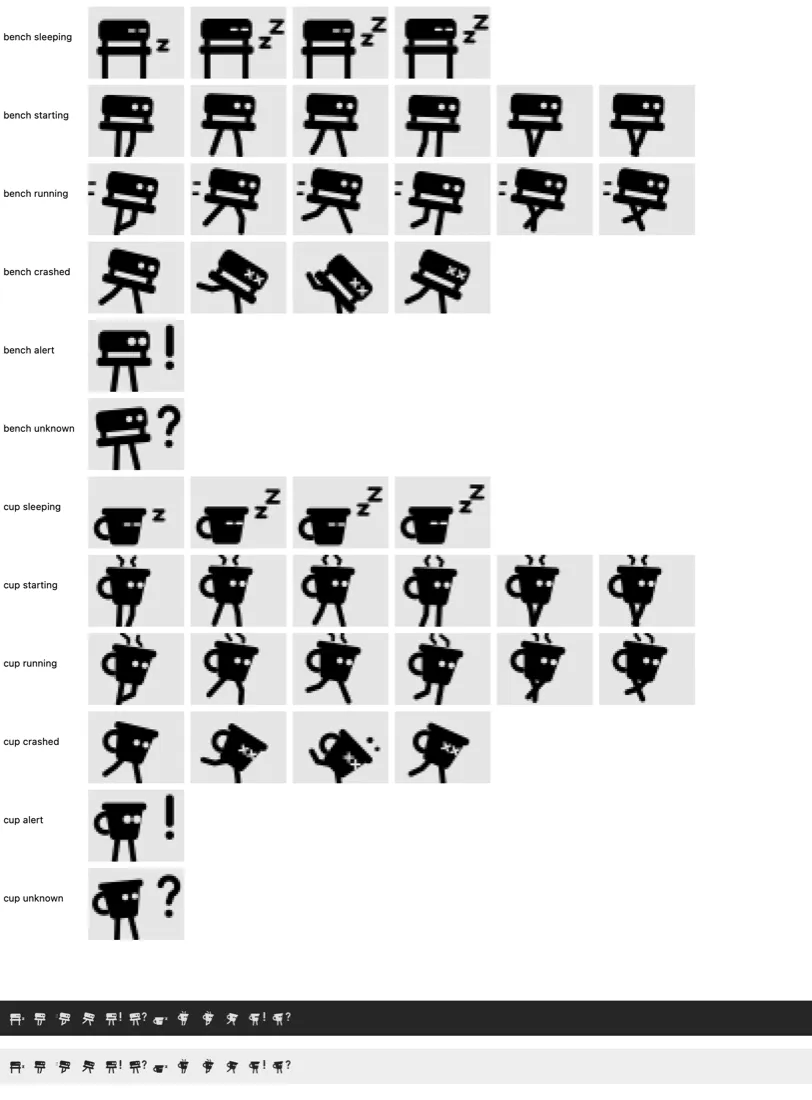
BenchBar ships two runners, Bench and Coffee cup, and you can draw your own: see Custom runners.
The popover
Click the runner for the popover: bench, site, state and uptime, Start, Stop, Restart, open the site, the logs or the bench folder, and a read only doctor with Repair when something is repairable. With more than one bench the popover lists every bench with its own buttons and an “n of m up” count.
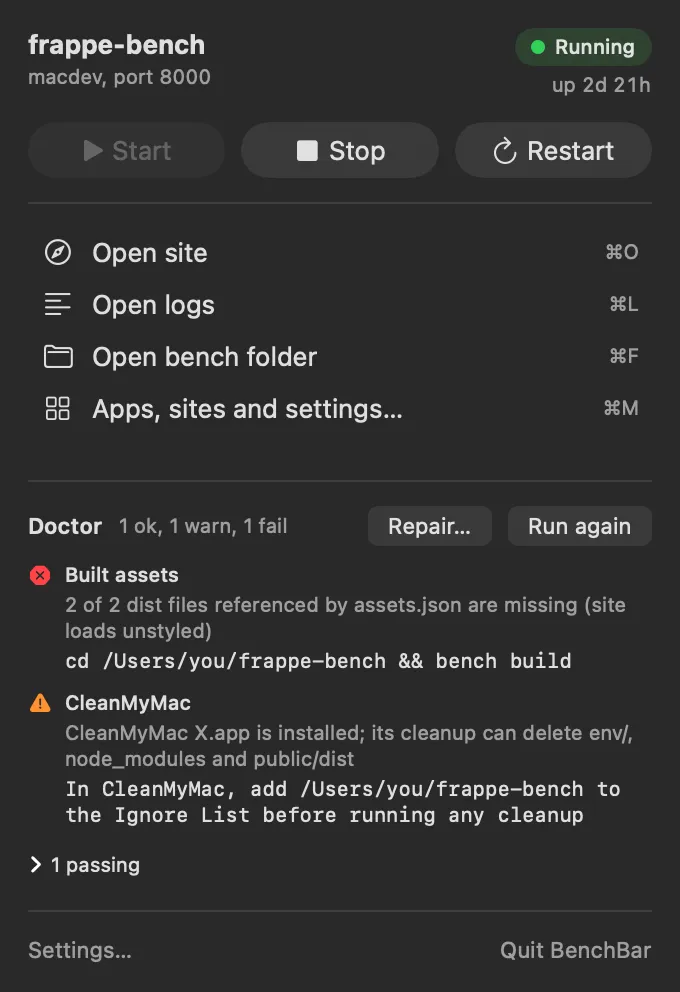
Keyboard shortcuts
| Keys | Action |
|---|---|
| ⌘U | Start |
| ⌘D | Stop |
| ⌘R | Restart |
| ⌘O | Open the site |
| ⌘L | Logs: a log window with search and a filter per process |
| ⌘F | Open the bench folder |
| ⌘K | Doctor |
| ⌘M | The BenchBar window |
The BenchBar window
Open it with ⌘M, “Apps, sites and settings…” in the popover, or by opening BenchBar again from Finder or Spotlight. It has a page per bench:
- Overview: start, stop, restart, the site and ports, and the scheduler switch.
- Sites: add a site (it asks for the Administrator password), make one the default, open any of them.
- Apps: add an app from the registry or any GitHub URL, install it on a site, and update it after reading the changelog. Right click a bench in the sidebar for its actions.
- Health: doctor’s checks, and Repair with its plan shown before anything changes and each step as it runs.
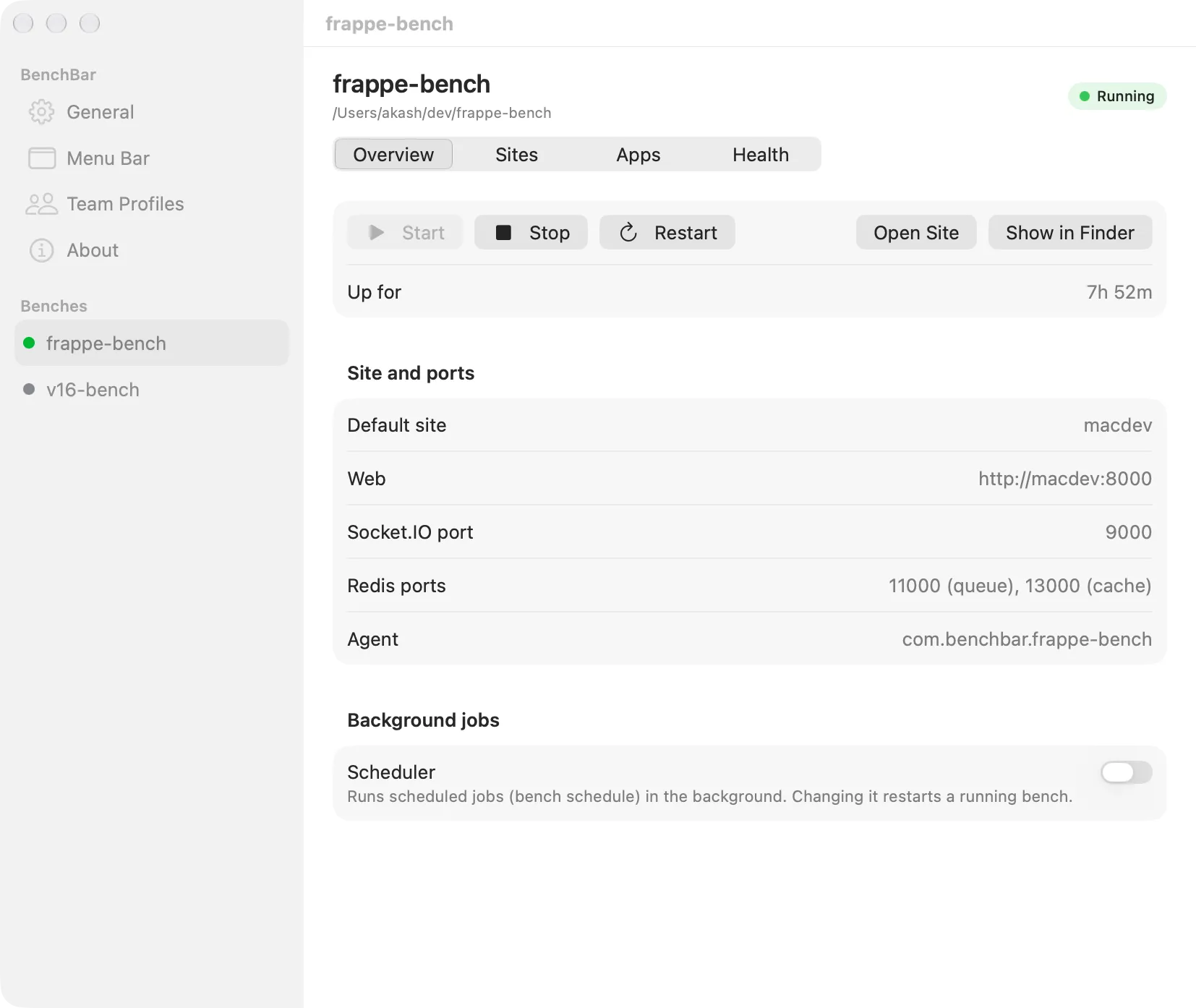
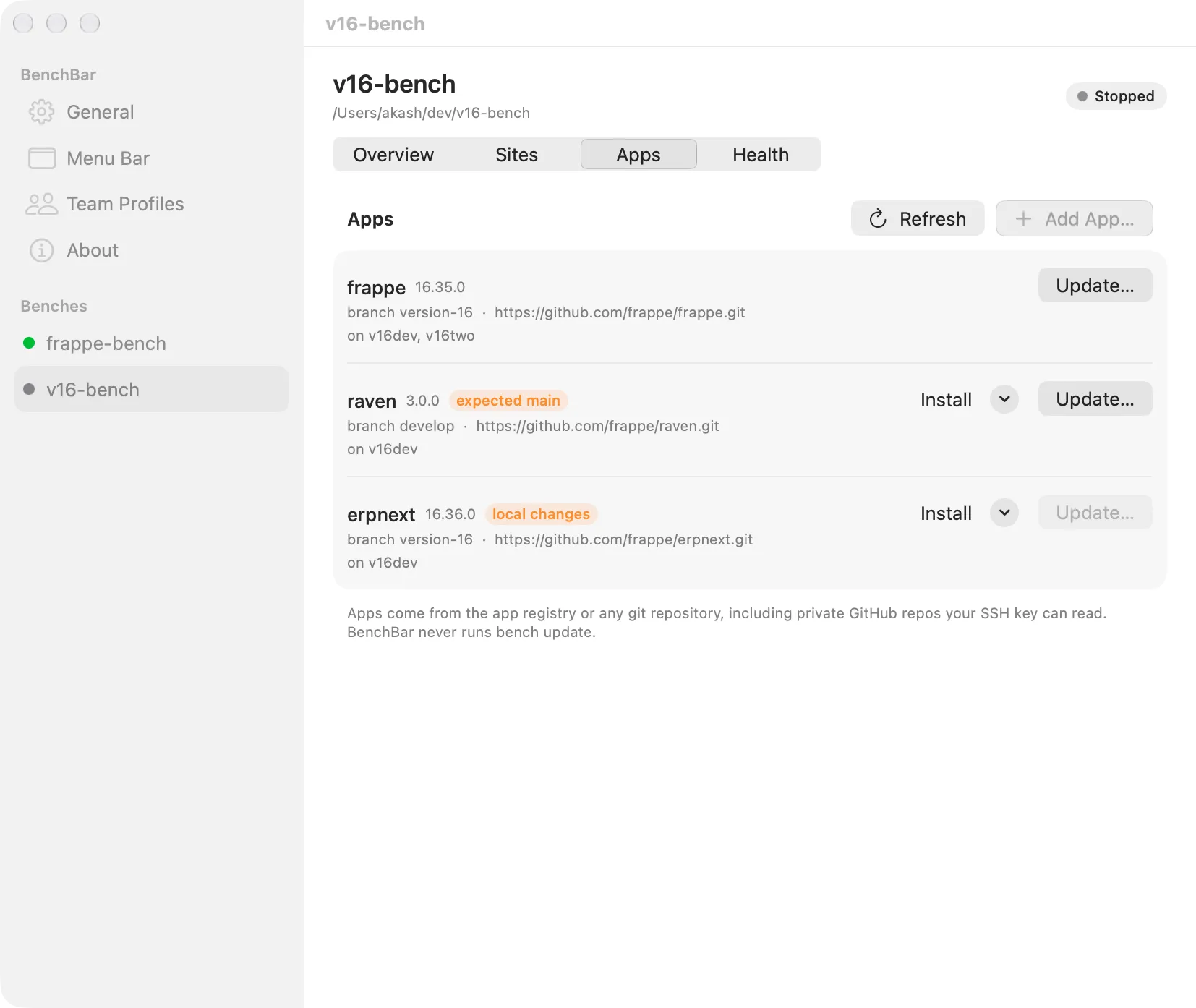
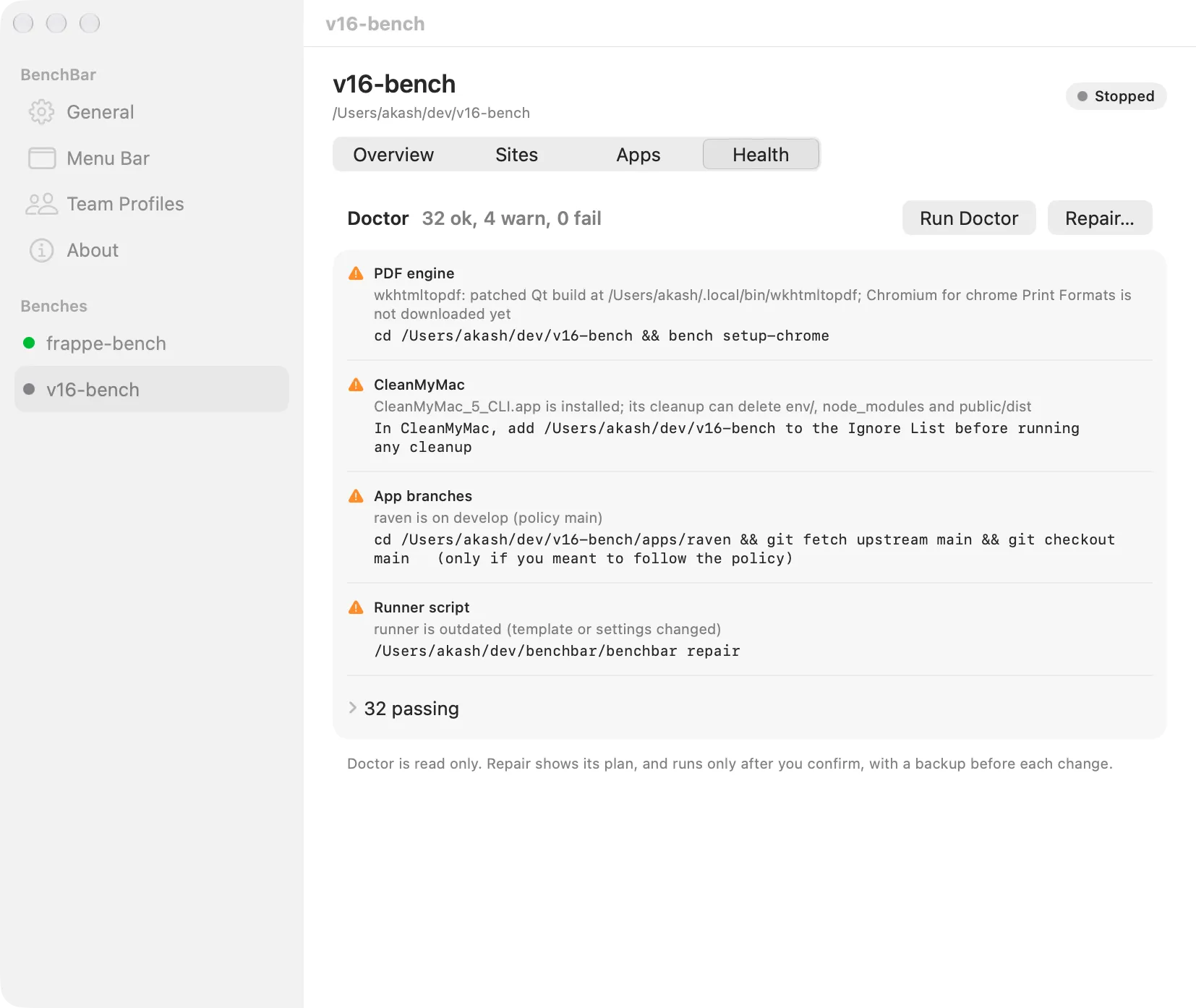
Above the benches:
- General: open at login, notifications, which
benchbarthe app runs, the keyboard shortcuts. - Menu Bar: the runner, with a live preview and custom runners, see Custom runners.
- Team Profiles: see Teams.
- About.
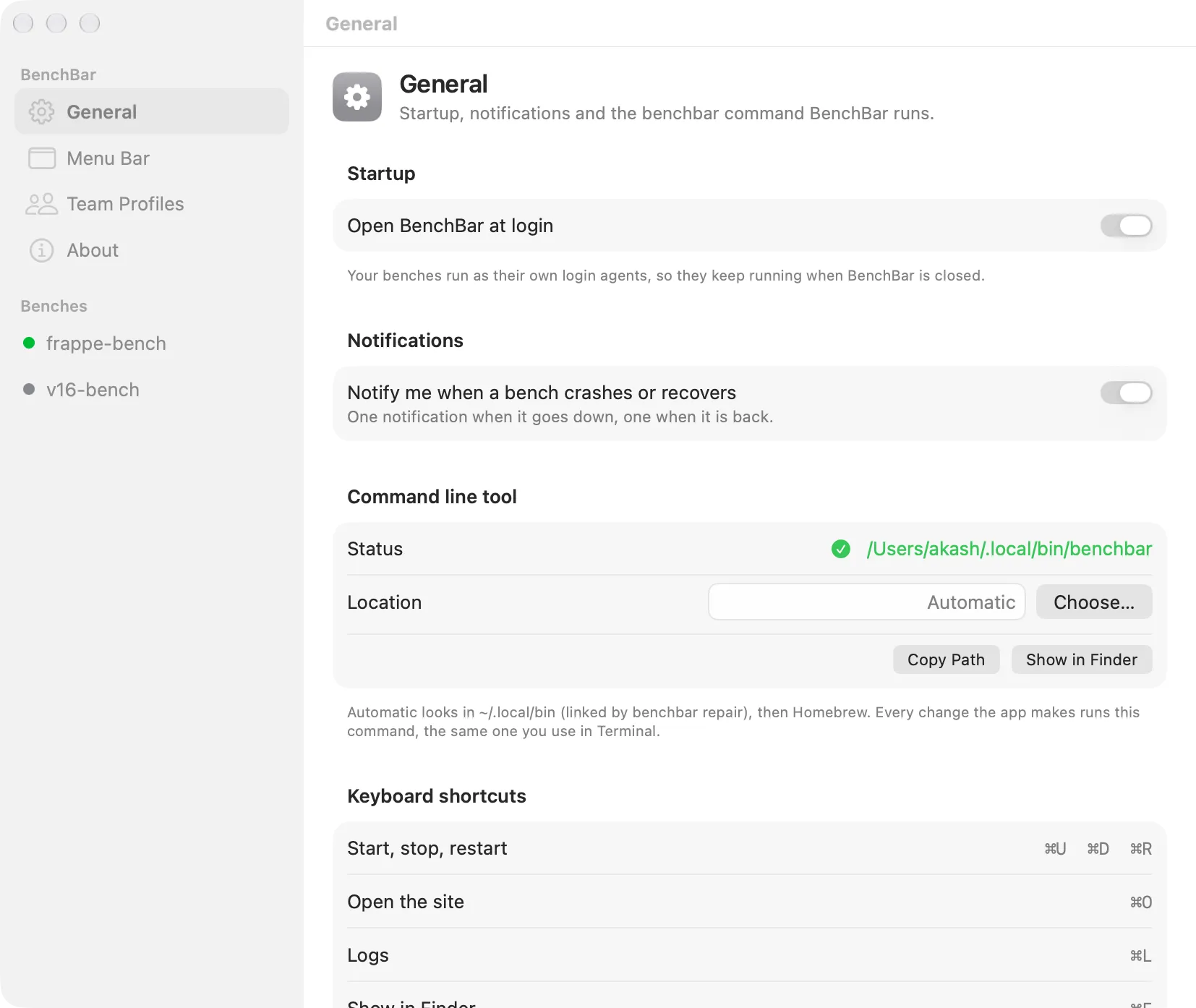
First run
On first run the app looks for the CLI in ~/.local/bin/benchbar, then in
Homebrew’s folders, and asks once with a file picker if it finds none.
macOS asks whether BenchBar may send notifications; allow it for the
crash alerts.
What the app does not do
The app does not write plists, edit bench files, or run bench, brew
or launchctl. Every button runs benchbar ... --json and reads the
answer, plus the state file the runner writes on every transition. That
JSON is a documented API: JSON schema.